How to Use the Cricut Mug Press? (Complete Guide)
.png)
Have you purchased a new Cricut Mug Press or received it as a gift? If you’re a beginner, you may not know how to use it. As it involves heating, using it for the first time may feel intimidating, and you may worry about ruining your blank mug. You may have already tried learning by watching videos or experimenting with the machine, but if you need assistance, this guide is for you. By the end of this guide, you’ll be able to use your Cricut Mug Press confidently and create personalized mugs easily.
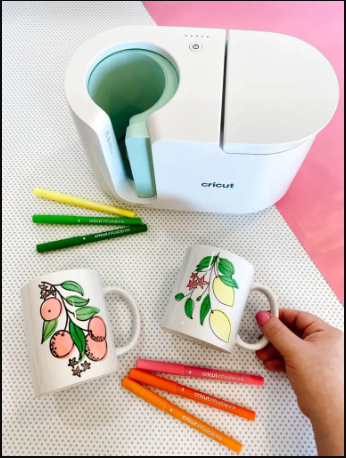
Quick Requirements
Before getting started, you need the following items:
- Cricut Mug Press machine
- Compatible sublimation mug
- Infusible Ink or a printed sublimation design
- Heat-resistant tape
Step 1: Prepare Your Mug Surface
Get started by cleaning the surface of your mug, as it is an important step because a dirty surface will interfere with the transfer of your design. Cleaning your mug’s surface will ensure a better design transfer.
- Use a lint roller to clean the surface.
- Alternatively, you can use rubbing alcohol with a cotton swab.
Step 2: Prepare and Position Your Design
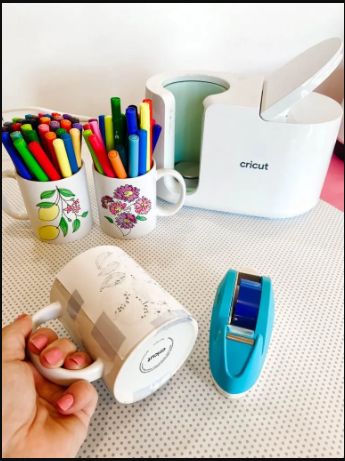
In this step, you need to create a design and position it on your sublimation mug. You can use a simple design to practice, as a complex one is not required.
- Open ‘Cricut Design Space‘ and select a pre-made design or import one from your system.
- Once you’ve selected your design, mirror it before printing. This ensures that the design transfers correctly onto your mug. To do this, toggle the Mirror switch on the project preview screen after hitting the “Make It” button.
- Print your design on ‘Sublimation Paper‘ or prepare your ‘Infusible Ink transfer sheet‘.
- After that, wrap your final design around the mug and secure it with heat-resistant tape so that it doesn’t move during pressing.
- Use a scraper tool or a card to burnish the surface and remove air gaps, lifted edges, or wrinkles. Even a small gap can cause uneven results.
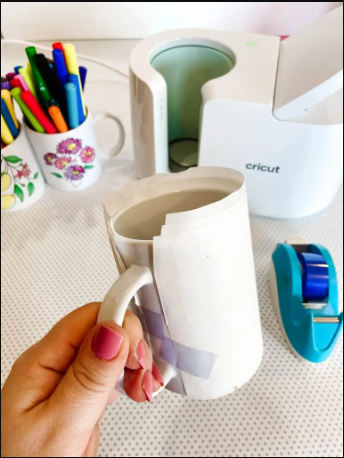
Step 3: Check the Fit Before Pressing
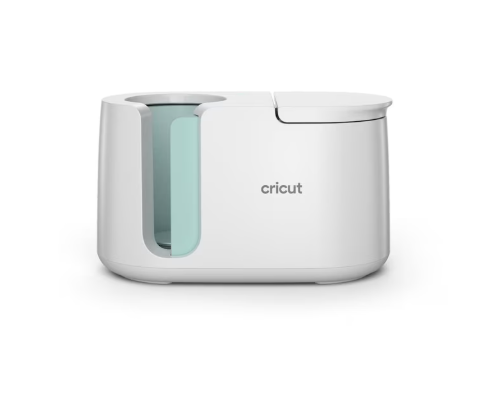
Your sublimation mug should fit the ‘Cricut Mug Press‘; otherwise, transferring the design may be difficult. Check the fit without turning on the machine. It shouldn’t be too loose or too tight. Too loose a mug will cause faded print, and too tight a mug will cause pressure marks.
Step 4: Turn on the Cricut Mug Press
Once you’ve checked that your mug fits the machine, it’s time to turn on the machine and make it ready. You don’t require any manual settings as the machine controls its temperature automatically.
- To turn it on, you simply need to connect it to the wall outlet.
- Let the ‘Cricut Mug Press‘ preheat before proceeding.
Step 5: Insert the Mug Correctly
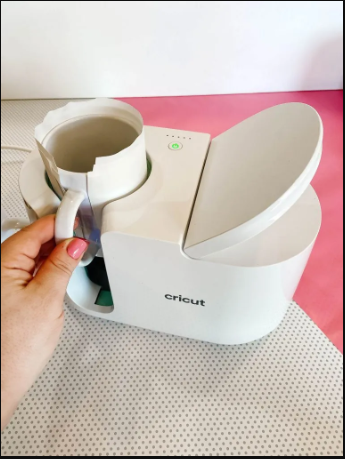
Once your machine is pre-heated, you can insert your mug into it. Here is how you can insert it properly and carefully:
- Place your mug straight inside the machine.
- Close the lever fully to secure the mug in place. (Note: If you place it unevenly, the design transfer will also be uneven.)
Step 6: Let the Pressing Cycle Finish
After placing your mug in the ‘Cricut Mug Press‘, the machine will transfer the design onto it.
- Don’t open the machine’s lever midway, as it will disturb the design transfer.
- The indicator light will show the heating progress. You may notice a mild smell during the process.
Step 7: Remove the Mug Safely
After a few minutes, when all the lights turn solid or you hear a beep, remove the mug safely.
- To do this, open the lever carefully to release your ‘sublimation mug‘.
- Hold the mug from the handle, and avoid touching the surface, as it’s extremely hot.
Step 8: Let the Mug Cool and Peel the Design
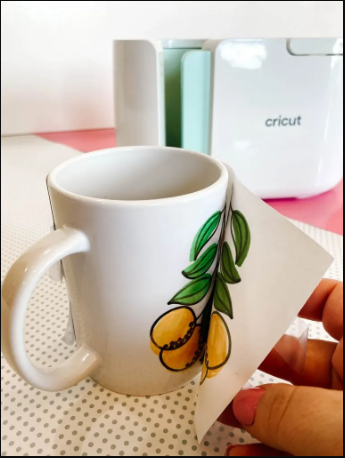
Once you’ve removed the mug, check if the design has ‘transferred correctly‘ and evenly.
- Allow the mug to cool down completely.
- Peel off the ‘Transfer Sheet’ slowly once the mug has cooled down. Peeling it too early may ruin your design.
- Finally, check the quality of the transfer, including color vibrancy and whether the design transferred completely.
Conclusion
Creating a ‘DIY mug‘ with ‘Cricut Mug Press‘ is very simple if you know the steps involved and follow them. All you need to do is be careful about the size of your ‘sublimation mug‘, as it should be according to your machine. You can’t use a random mug; you need a sublimation mug with the Cricut Mug Press to get proper results.
.png)


Comments
Post a Comment